How to Update your Payment Method to ACH
Last updated: September 28, 2026
To update your payment method to ACH please follow these steps:
If your bank is not listed as an option, please fill out this form or contact our Support Team (support@marqii.com) for additional assistance.
Log into your Marqii account on our billing website with your current billing email address.
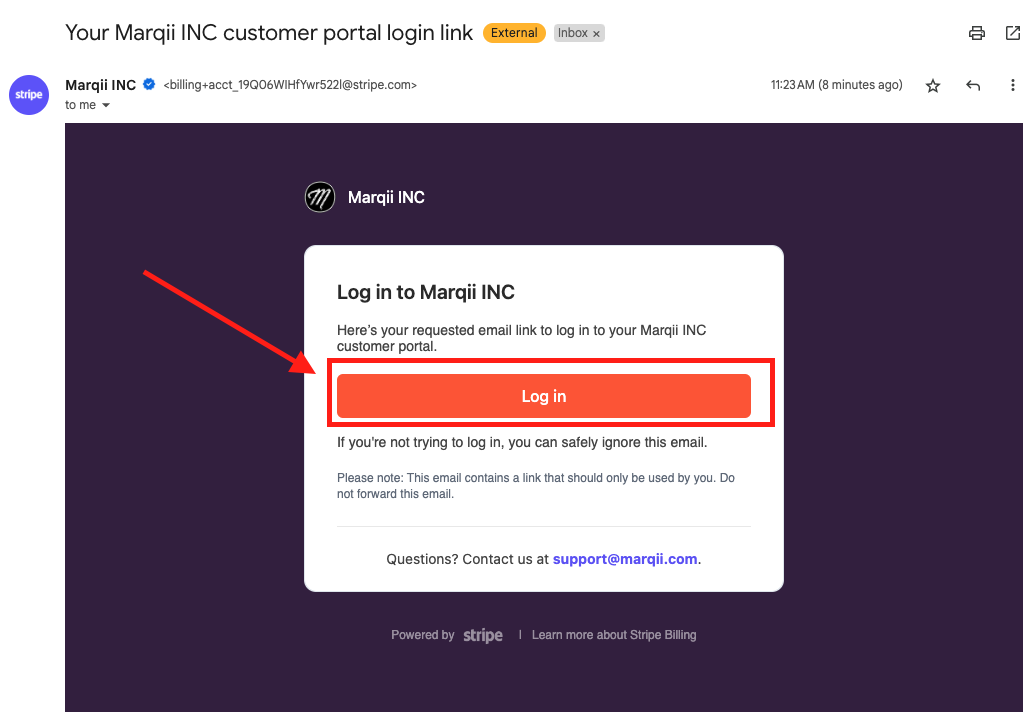
You will receive an email from Marqii INC to the email address above with a secure link to your customer portal.
Note: the link is only valid for 30 minutes. You will need to redo the step above if the link times out.
Click the orange "Log In" button in the email.
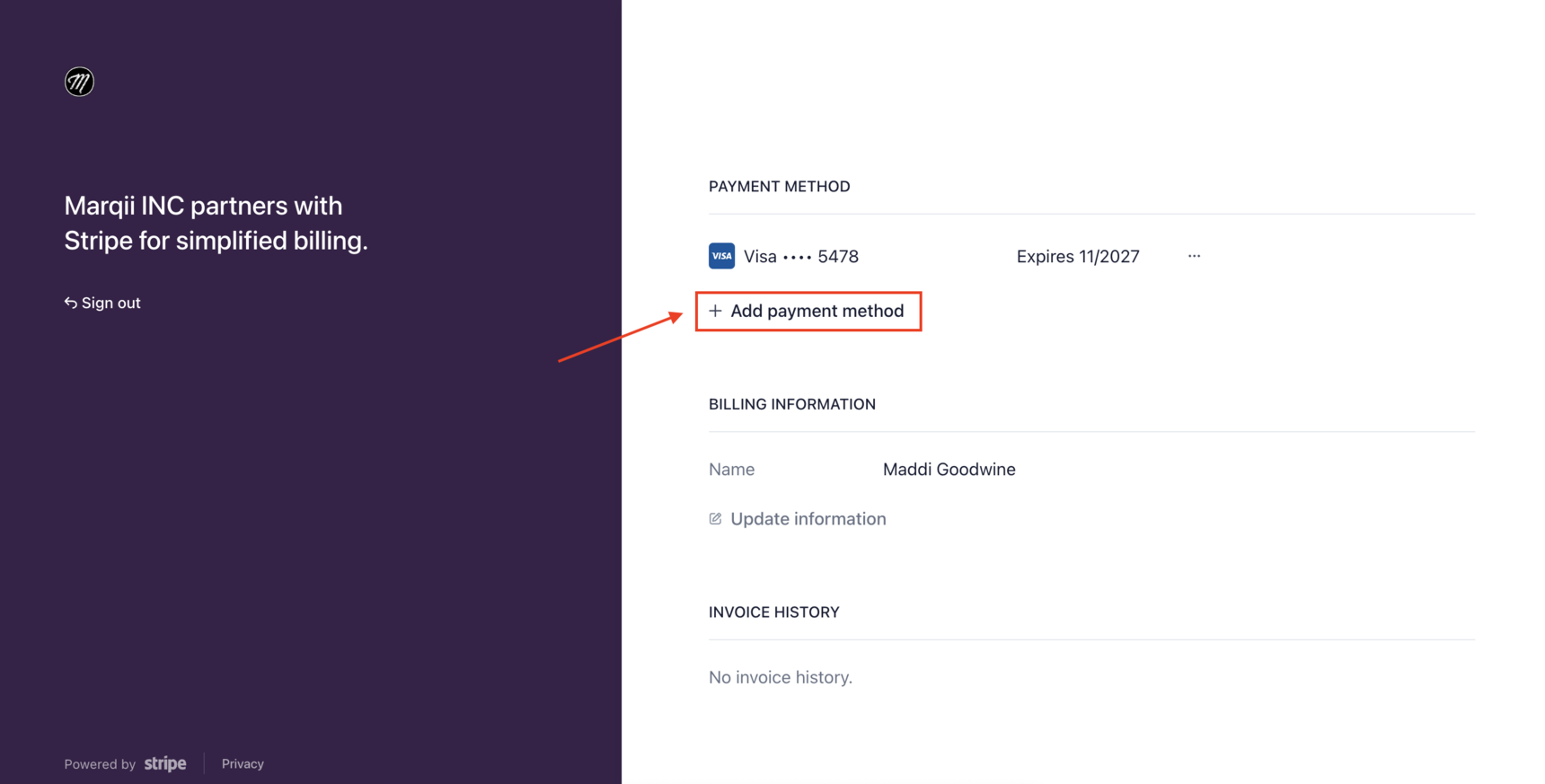
Navigate to the "Payment Method" section.
Select "+ Add payment method”
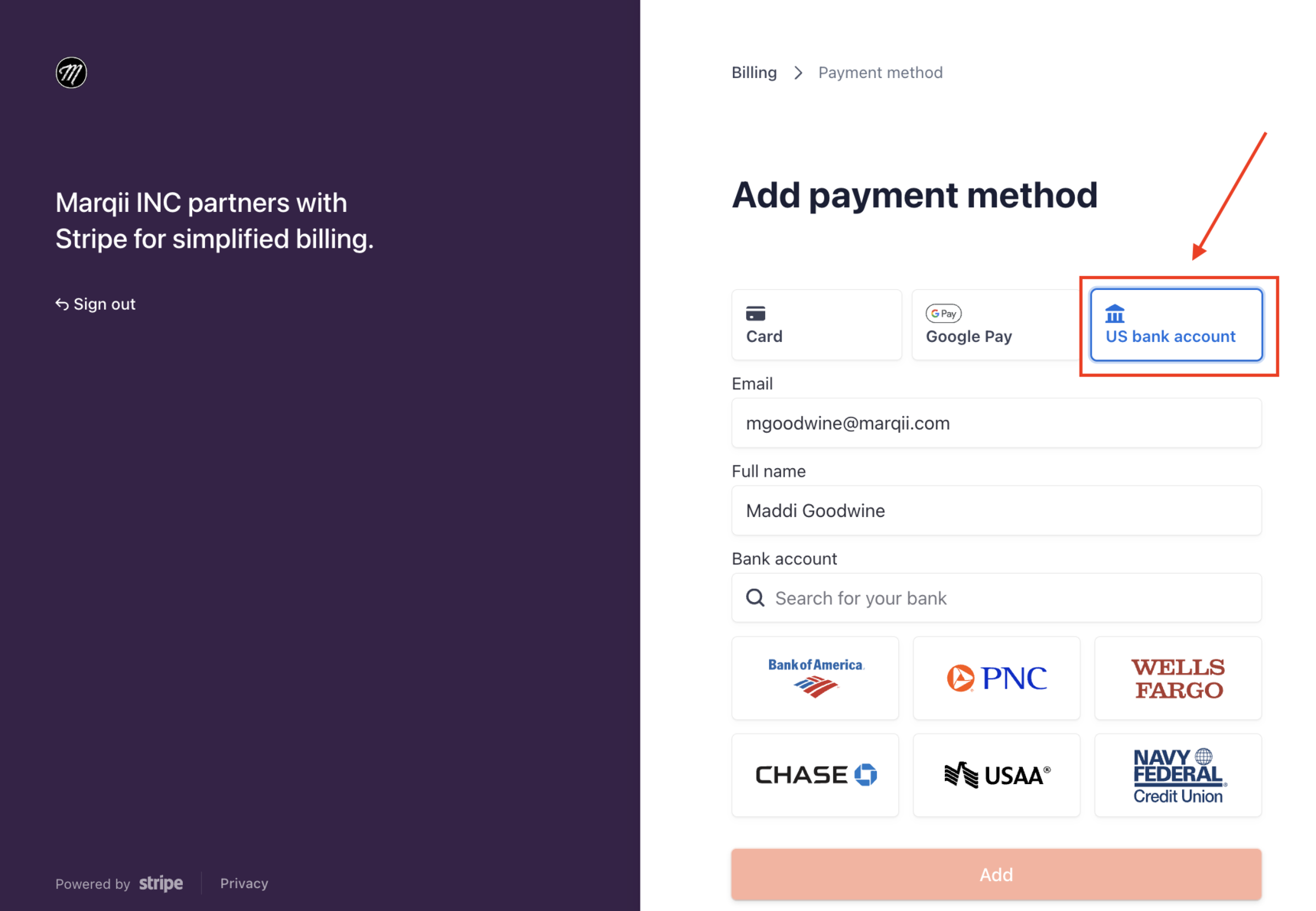
Choose “US bank account” as your preferred payment method.
Search for your bank within the "bank account" section.
Allow Stripe access to connect your account.
Log into your bank and authorize the connection between your bank and Stripe.