Recurring Posts
Last updated: September 3, 2026
What Are Recurring Posts
Recurring Posts let you set up a post once and have Marqii automatically re-publish it on a schedule — daily, weekly, or monthly — instead of recreating it every cycle. Recurring Posts work the same way for both Google Business Profile and Facebook.
Common use cases:
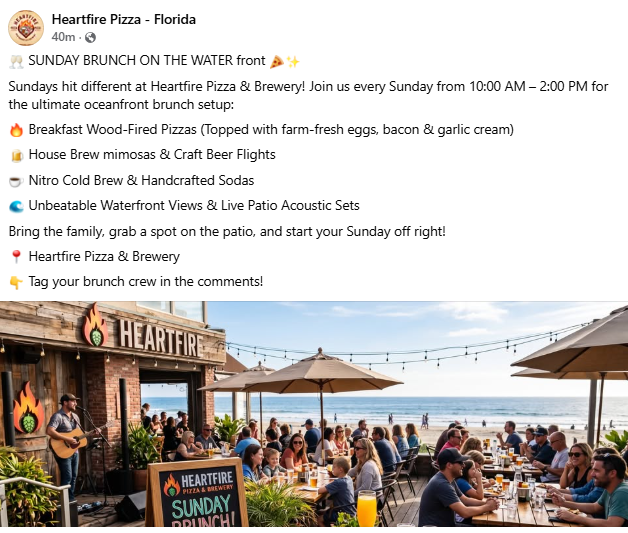
Daily specials — a restaurant posting lunch and dinner specials across all locations
Weekly happy hour — a bar promoting the same offer every Friday
Monthly promotions — a multi-location operator posting on the 1st and 15th of every month
Creating a Recurring Post
Start a new post from the Create Post flow.
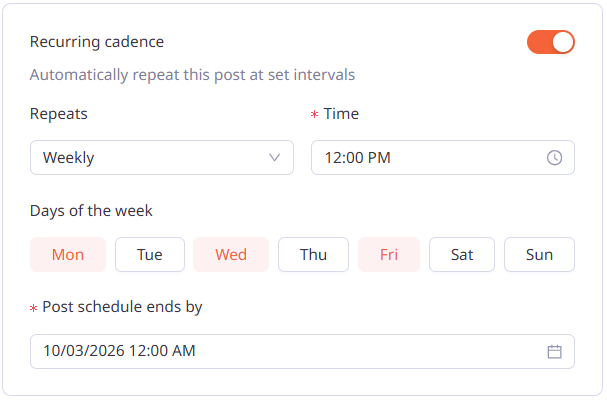
Select Recurring Post to reveal the recurrence settings.
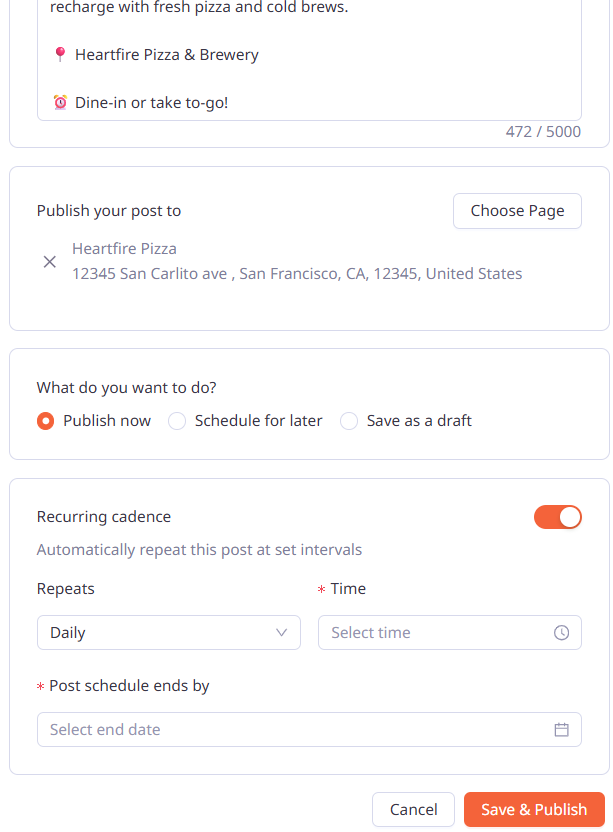
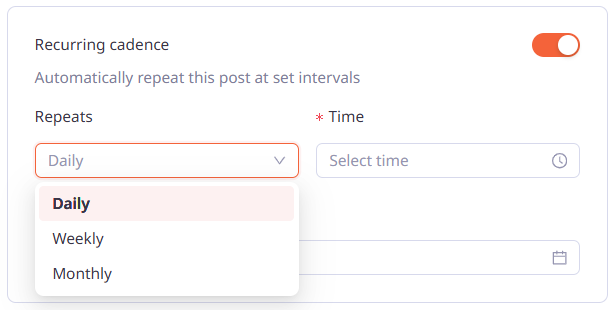
Choose a Recurrence type:
Daily — repeats every day
Weekly — pick one or more days (e.g., Mon, Wed, Fri)
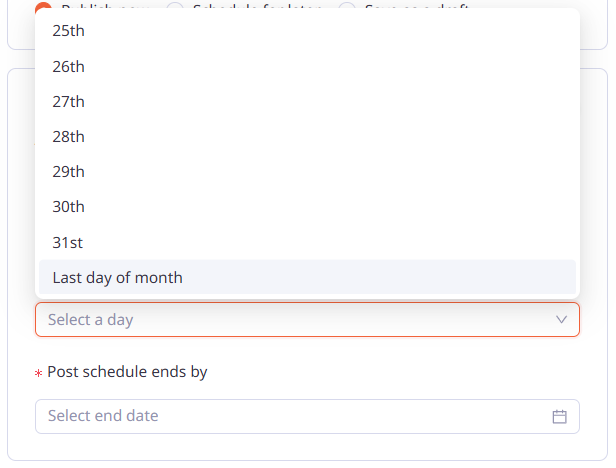
Monthly — pick one or more dates (e.g., 1st, 15th), or Last Day of the Month
Set a Campaign end date/time (required) — the post stops repeating after this date.
Choose Publish Now, Schedule for Later, or Save as Draft.
Note: A draft with recurrence settings never publishes on its own, even after its start date passes. Opening and saving a past-due draft triggers a validation message.
Editing a Recurring Post
Edit a recurring post's cadence or end date at any time. Changes apply to future occurrences only.
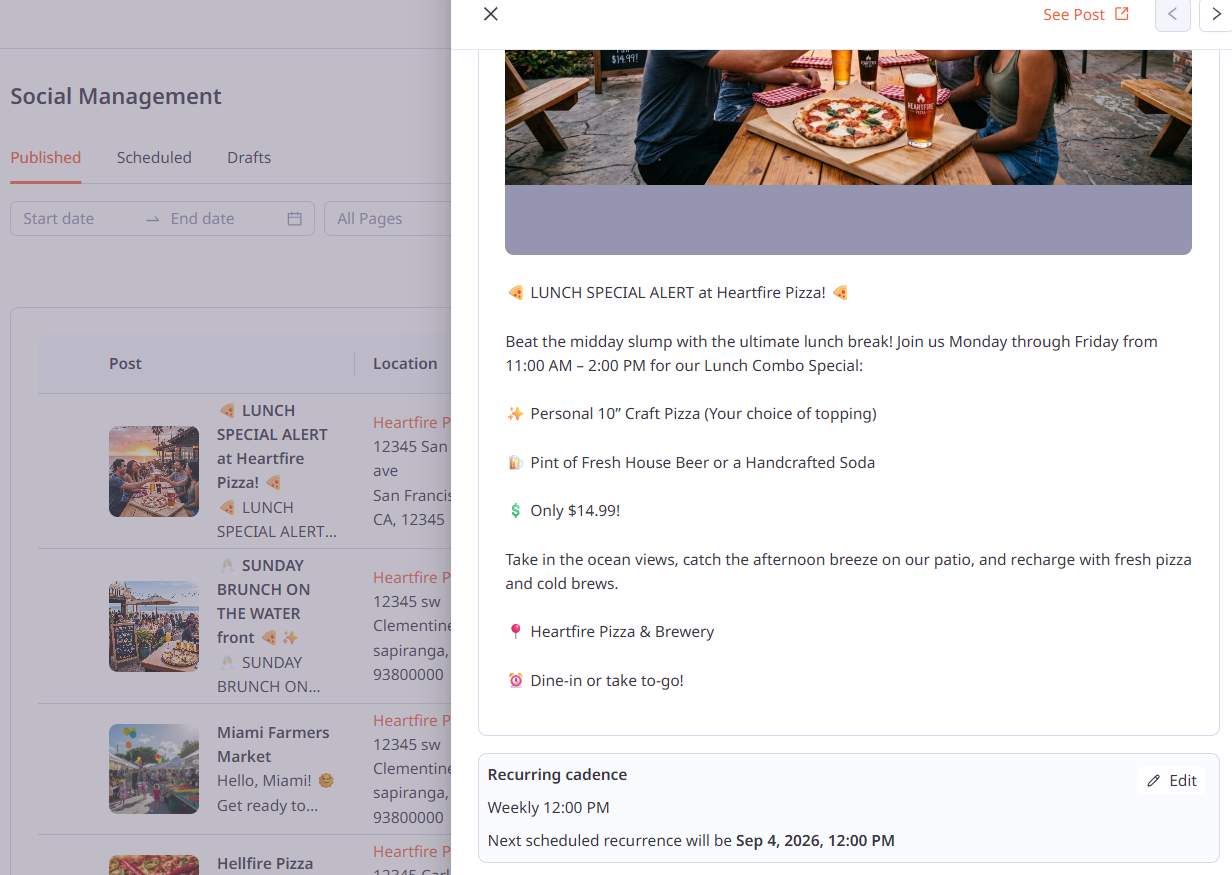
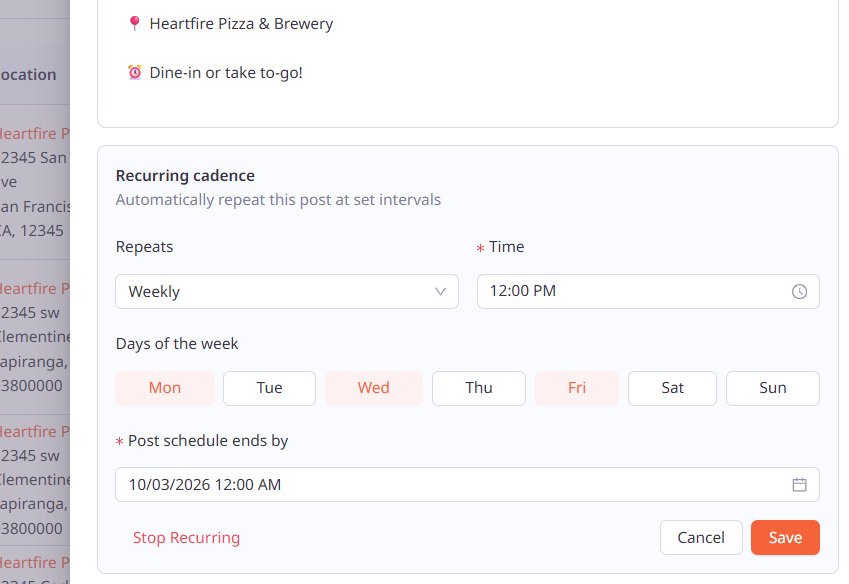
Note: Full Control, Location Manager, and Social Manager roles can edit recurring posts. Social Contributors cannot.
To stop a campaign: change the post's setting away from Recurring (e.g., save it as a draft). This cancels all future occurrences.
Finding Your Recurring Posts
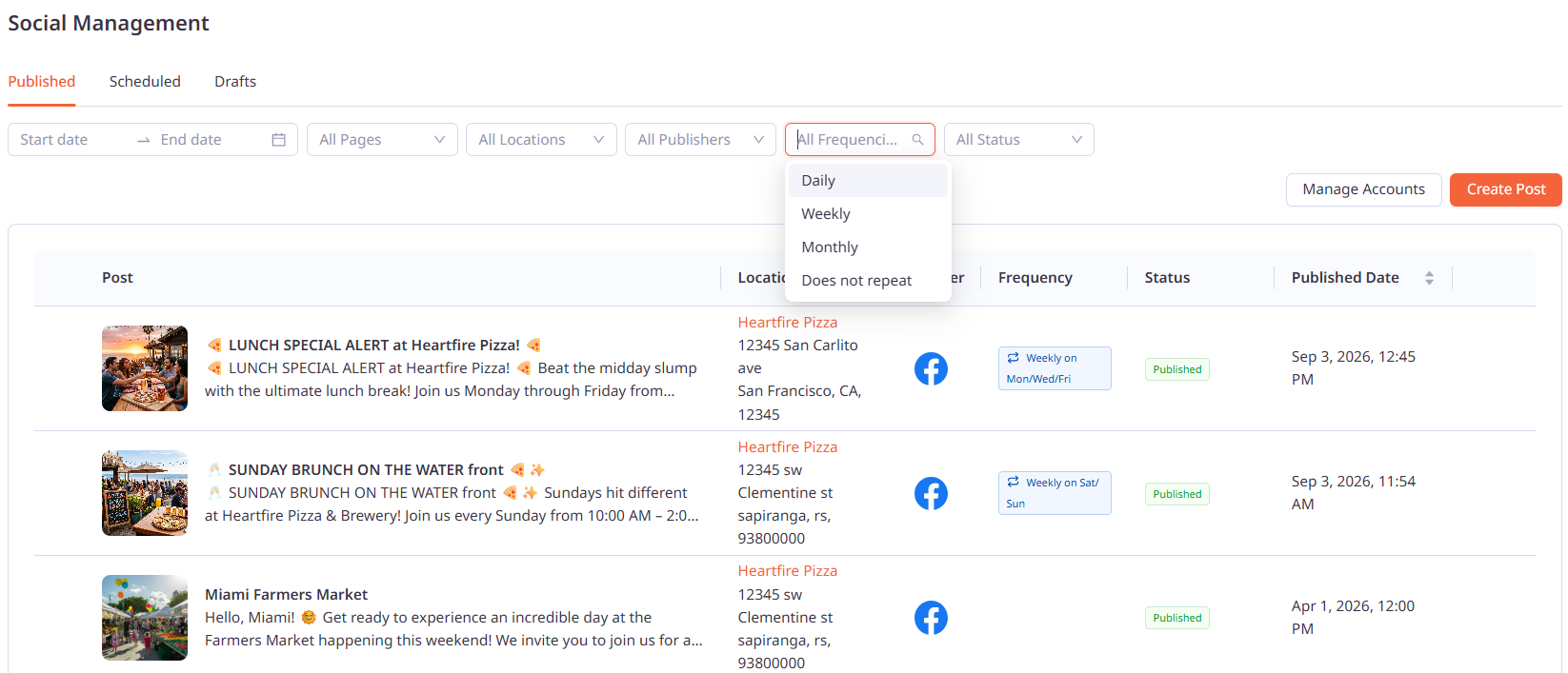
The Published and Scheduled tabs include a Frequency column and filter:
Does Not Repeat
Repeats Daily
Repeats Weekly on [Day(s)]
Repeats Monthly on the [Date(s)]
When a Recurring Post Fails
Google: Locations have a limit on active posts. If reached, the occurrence fails with a Failed status and a message asking you to delete existing posts to free up space, then re-publish.
Facebook: Two limits can cause a failure:
Daily limit (25 posts/Page): re-publish the next day, or remove posts directly on Facebook to free up space.
A failed post stays in Failed status until you re-publish it.
If you need any further assistance, feel free to contact support at support@marqii.com or text (512) 967-3739.