Connecting your Google account to Marqii
Last updated: October 7, 2026
Connecting your Google account to Marqii allows the syncing of your location data, hours, and menus directly to your Google My Business Profile. You must first authorize Marqii to be able to access your Google data before linking a profile to a Marqii Location.
Authorize Marqii to Access your Google Account
In order for Marqii to be able to access your data, it needs to be given access by logging into your Google account with Owner or Manager access. In order to log in to your Google account and authorize Marqii
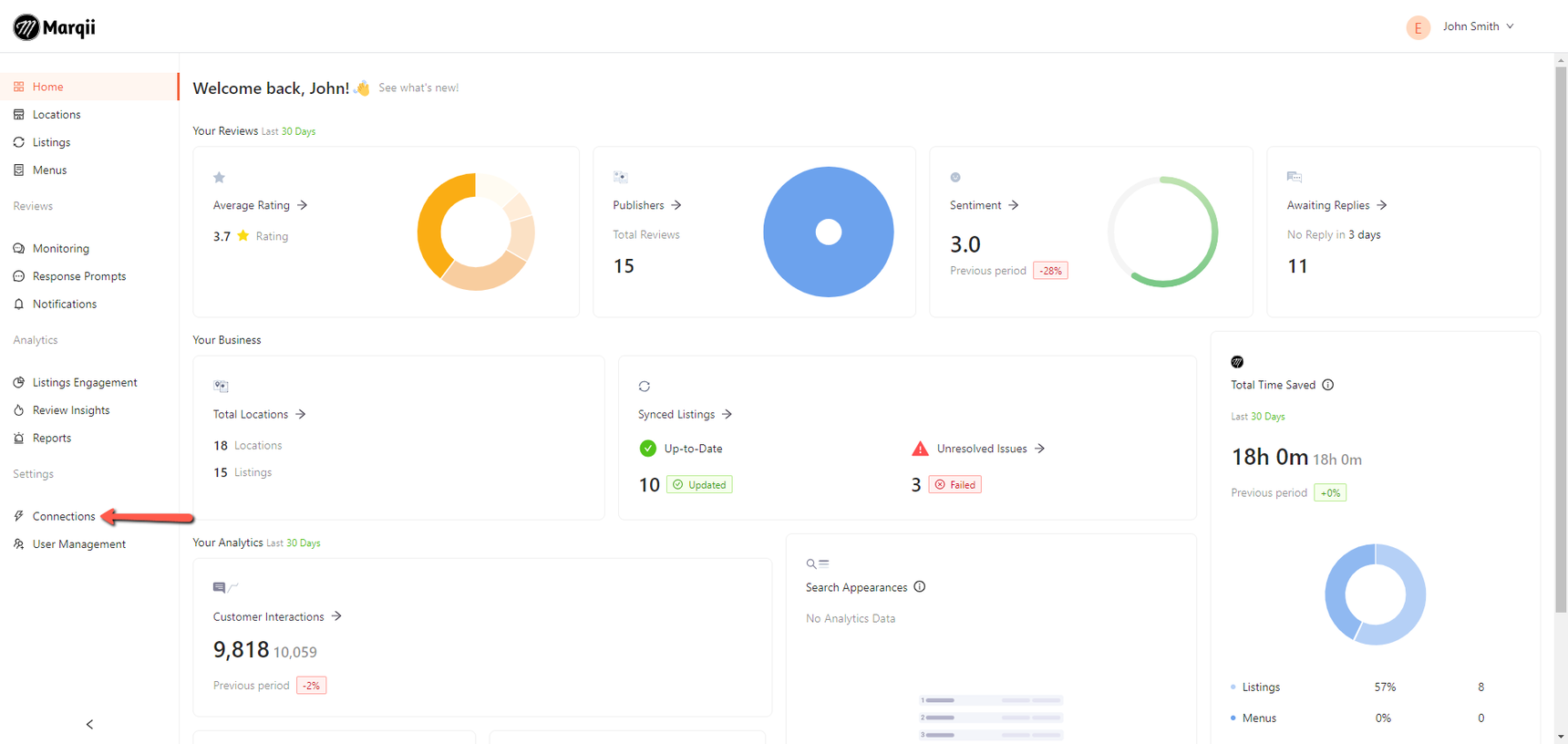
Navigate to the Connections page
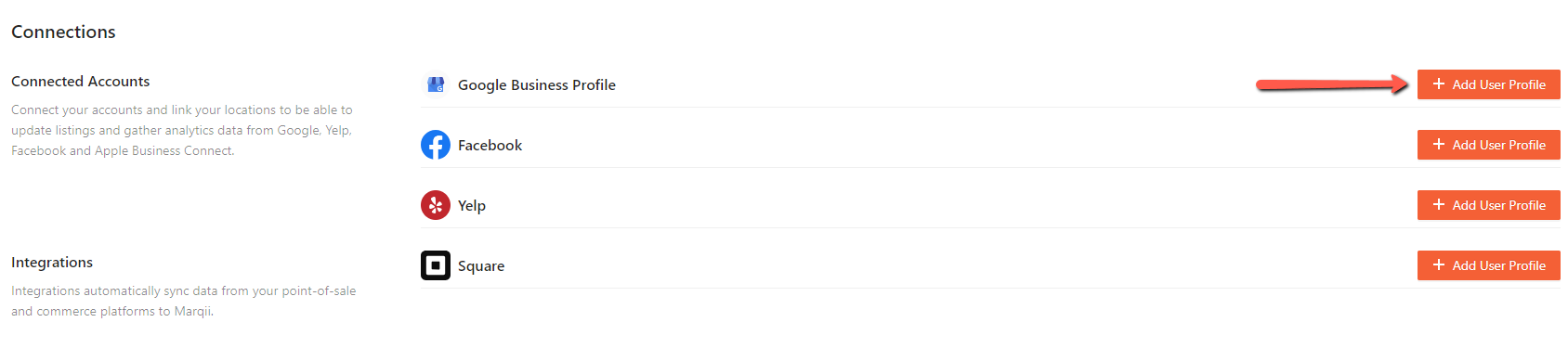
Click on "+ Add User Profile" next to Google
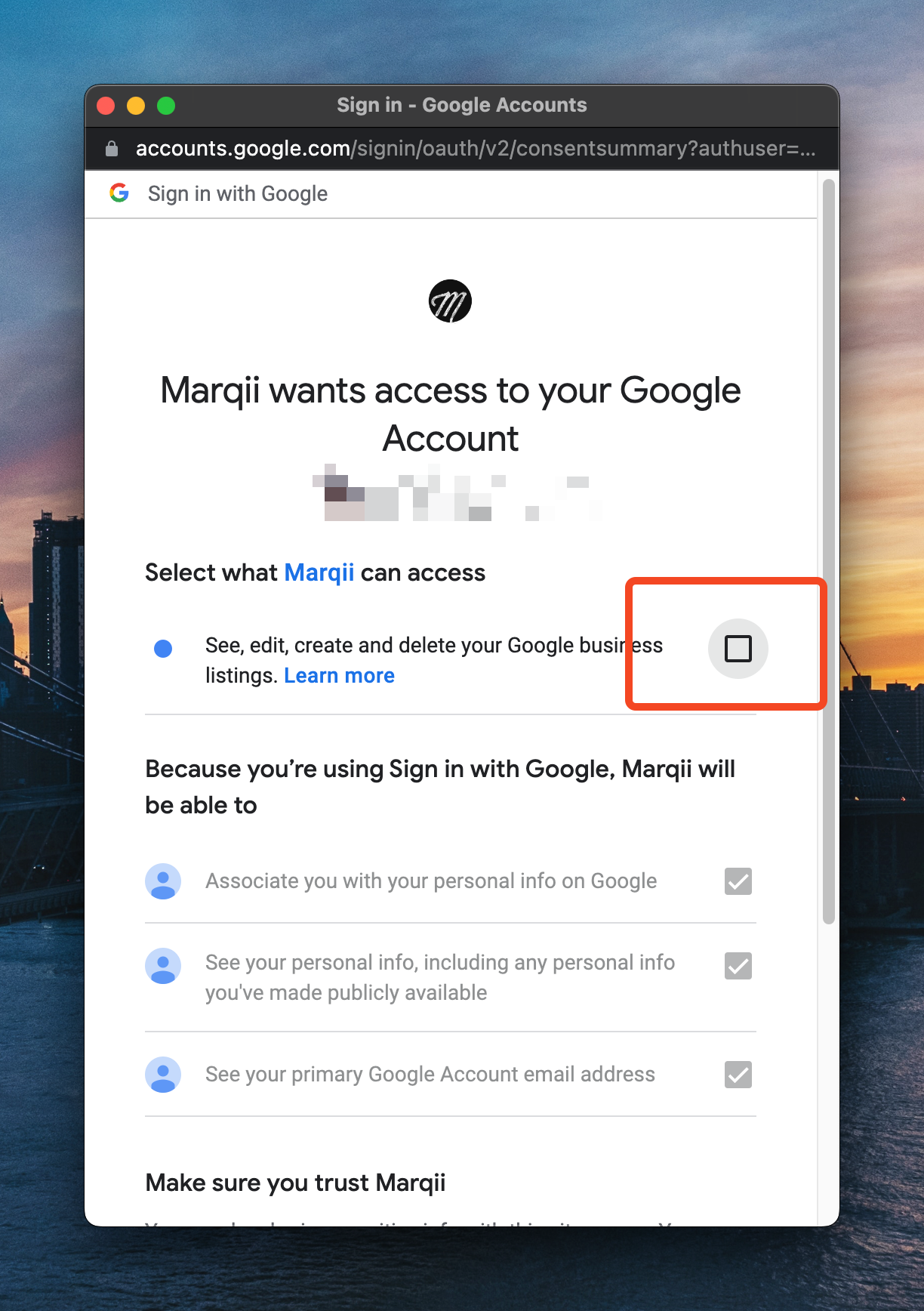
Follow the steps on screen to authorize your Google account and give Marqii access
Important! Make sure to allow "see, edit, create and delete your Google Business listings."
After completing the flow you will be able to connect your Google My Business profile to your Marqii Location.
If you need any further assistance, feel free to contact support at support@marqii.com or text (512) 967-3739.